 Dartastic AI
The AI that understands your users.
Dartastic AI sees what your users see: every session, tap, crash, trace and log from your Flutter apps down through your entire stack. Ask in plain language, and it answers with the evidence: traces, logs, metrics and links to RUM replays, so that you can replay the real user experience.
Ask it for a fix and it reads your code and files a ticket with a patch that addresses the problem.
Ask it anything about your users
No query language, no dashboards to build first. Ask the way you would ask a teammate.
How it works
1. Ask in plain language
Open the AI tab in the Control Room and type your question. Pick a time range, an optional service, and the model.
2. Watch it investigate
Dartastic AI reads your traces, metrics, logs and RUM sessions, and shows each step as it works.
3. Open the evidence
The answer cites what it found. One click opens the session replay, the trace, the logs or the metric.
4. Fix it
A Fix button opens an issue with a patch for the problem it found, ready for your team to review.
See one investigation, start to finish
Alpine Trails is our demo Flutter app. We asked Dartastic AI: "Why are users not subscribing to yearly?"
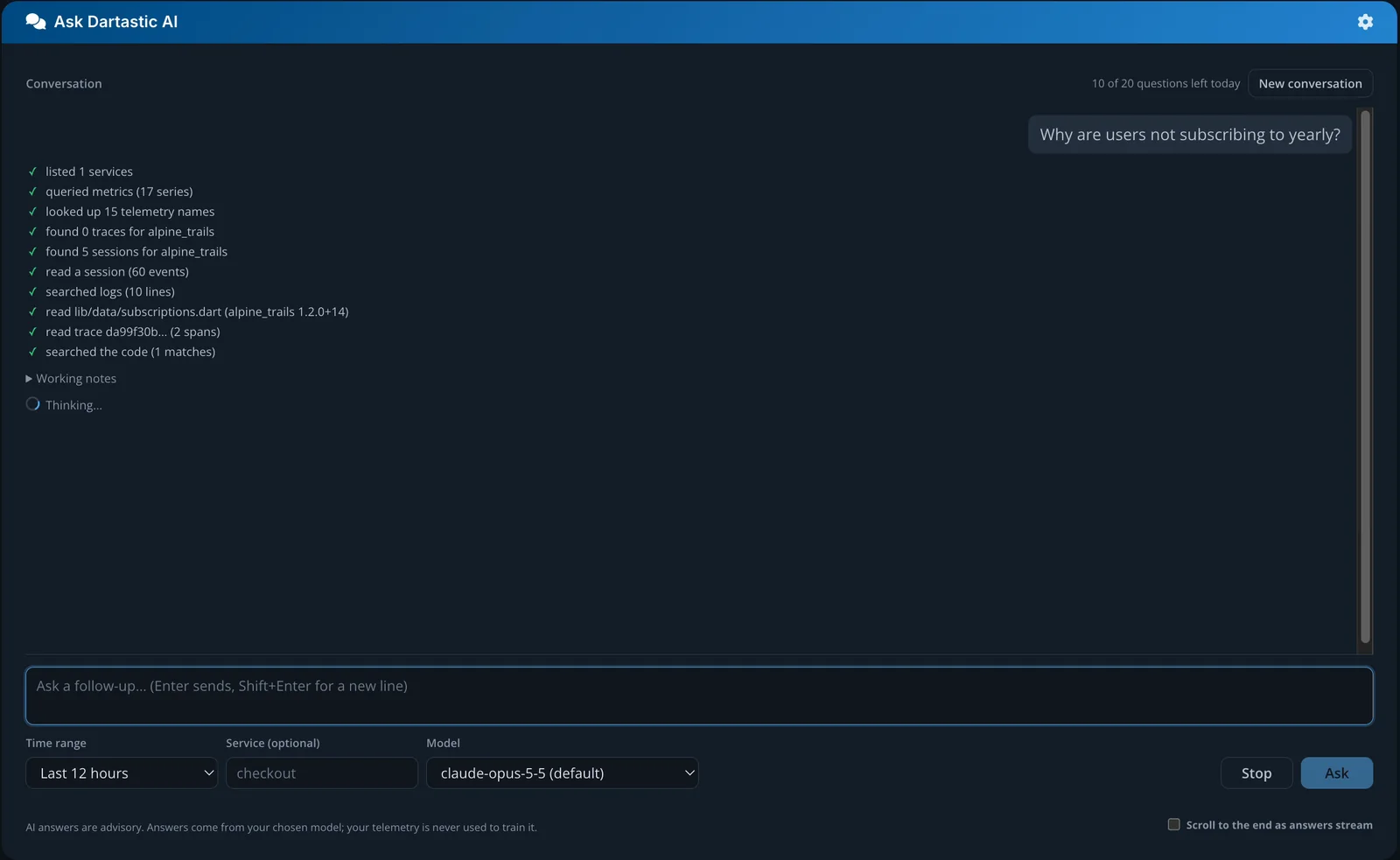
It shows its work
As it investigates, every step appears on screen:
- queried metrics (17 series)
- found 5 sessions for alpine_trails
- read a session (60 events)
- searched logs (10 lines)
- read lib/data/subscriptions.dart (alpine_trails 1.2.0+14)
- read trace da99f30b… (2 spans)
- searched the code
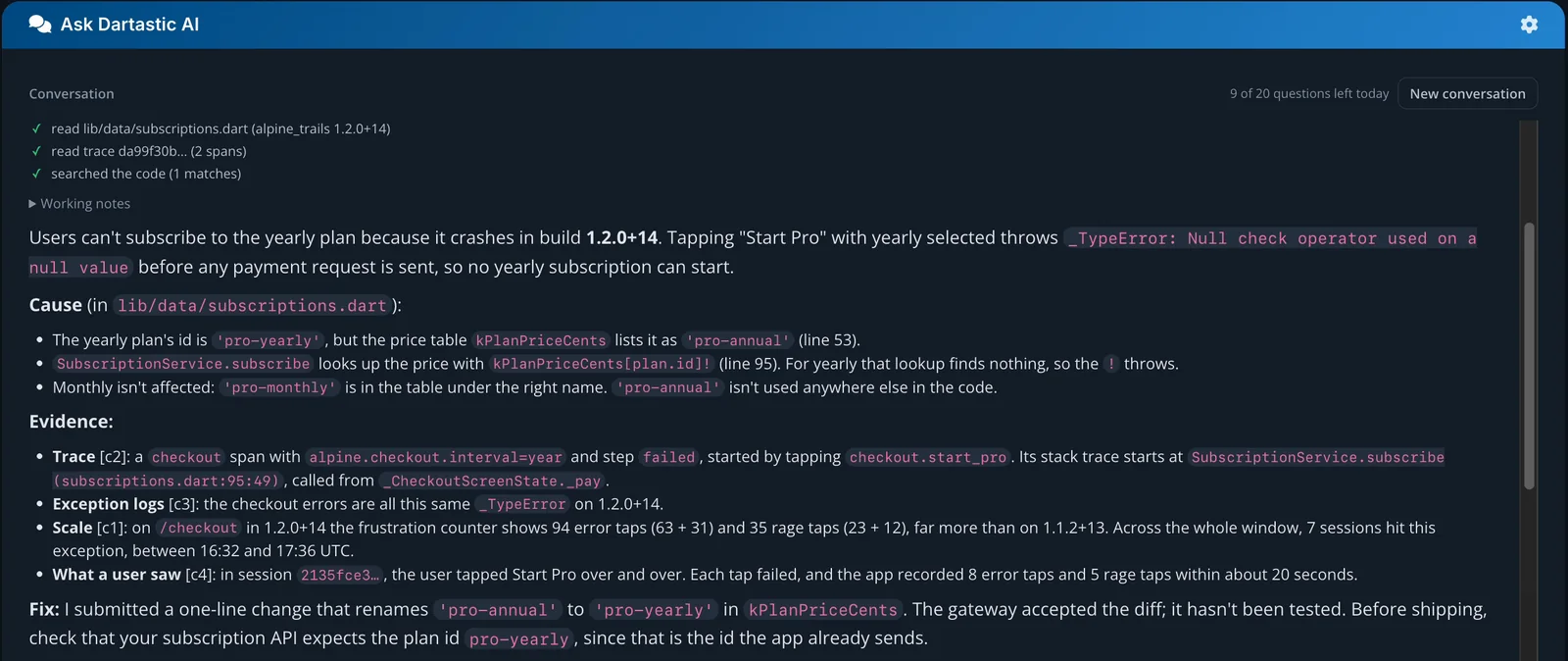
The answer
Users can't subscribe to the yearly plan because it crashes in build 1.2.0+14. Tapping Start Pro with yearly selected throws Null check operator used on a null value before any payment request is sent.
The cause is one name. The yearly plan's id is 'pro-yearly', but the price table kPlanPriceCents lists it as 'pro-annual', so the price lookup in SubscriptionService.subscribe (subscriptions.dart:95) finds nothing. Monthly is unaffected. The readable Dart location comes from the Dartastic Symbolizer.
The answer links to the session, trace, logs and metric behind it.
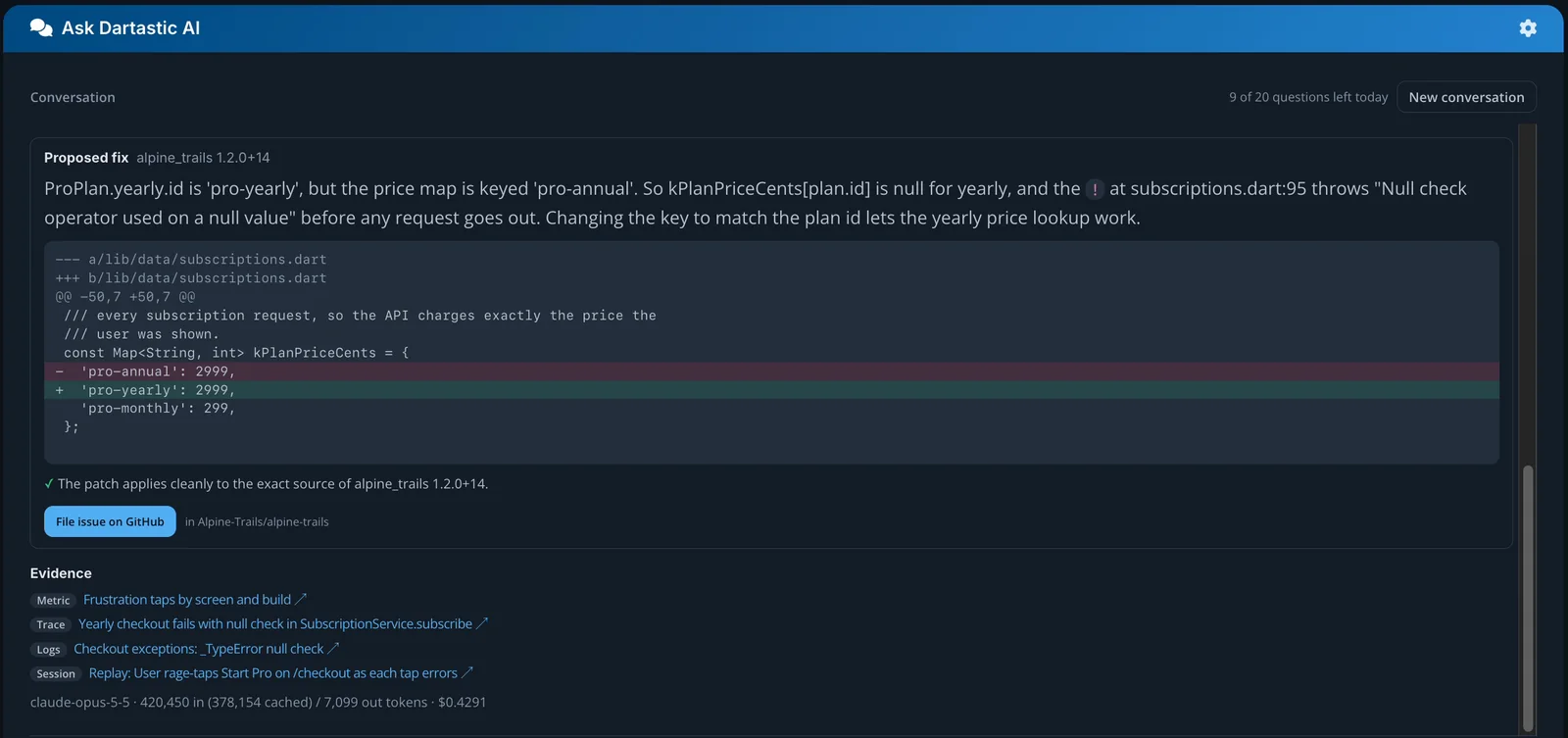
The fix
Dartastic AI reads the source of the exact build that failed and proposes a one-line patch: rename 'pro-annual' to 'pro-yearly'. It checks that the patch applies cleanly to that build's source.
The answer says plainly that the patch hasn't been tested, and what to check before shipping it.
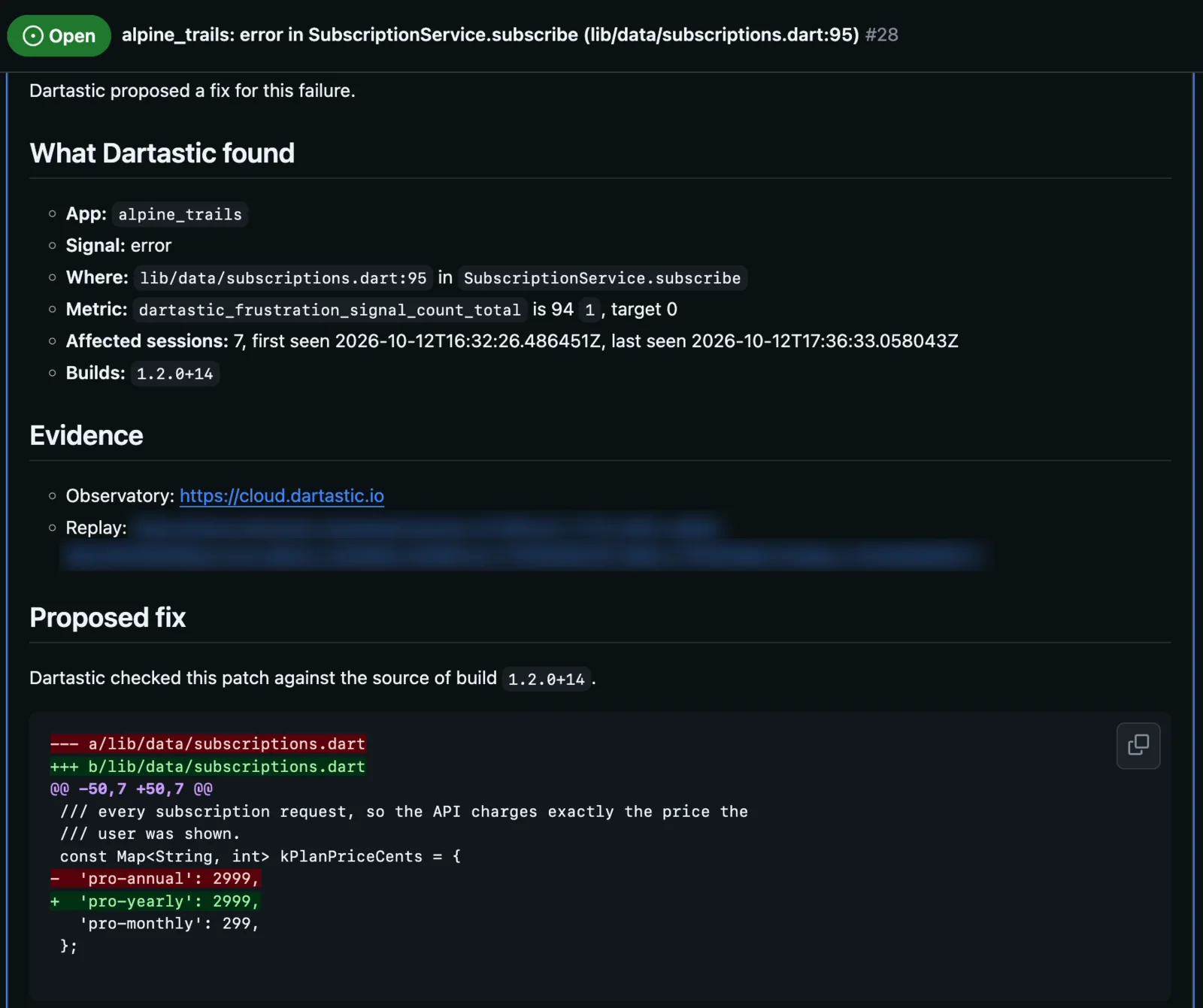
Filed to GitHub
One click files the issue in your repository: what Dartastic found, the evidence links and the patch, checked against the source of the build that failed.
Your team reviews it, tests it and ships it, in the workflow they already use.
Open any piece of evidence
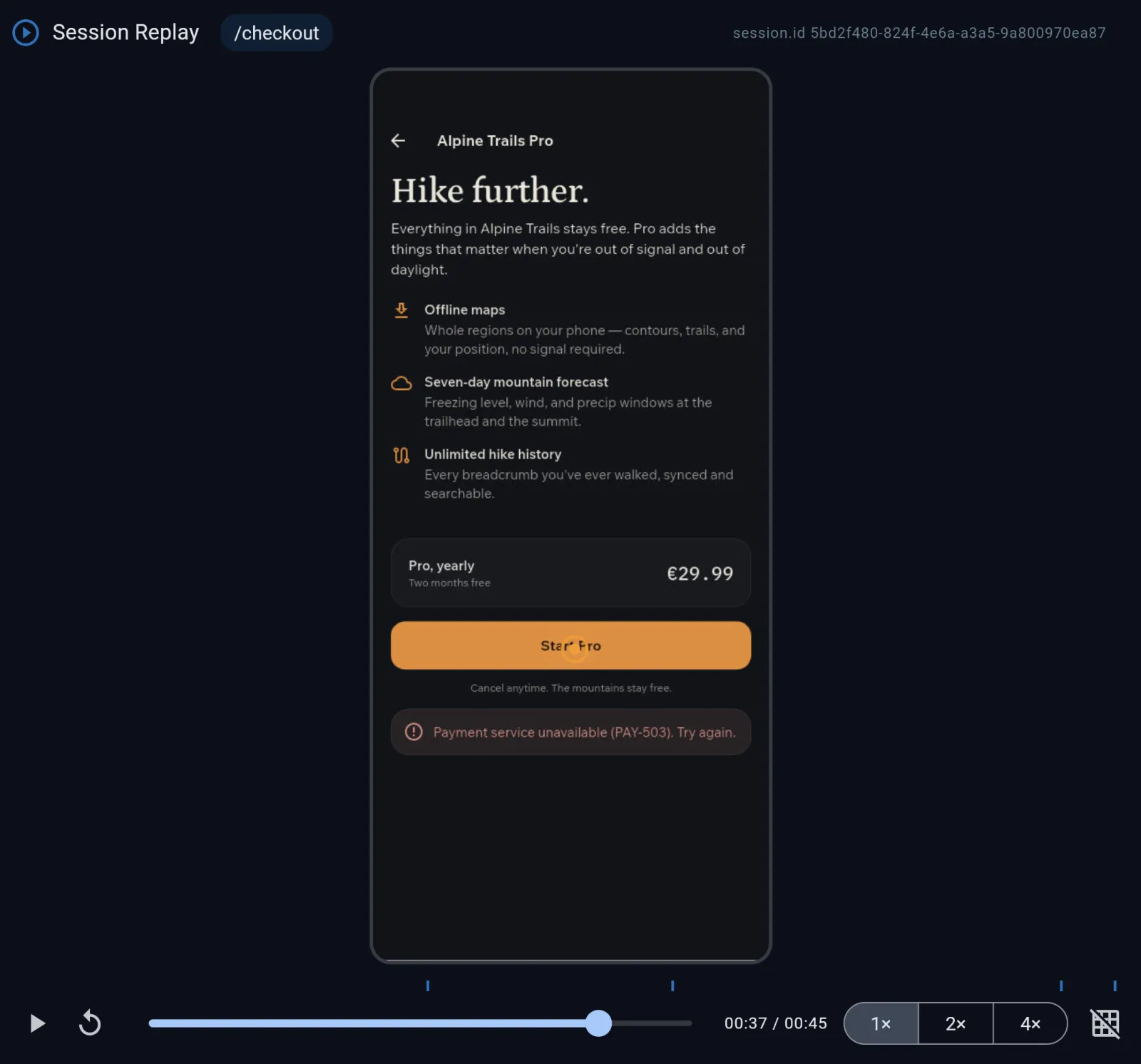
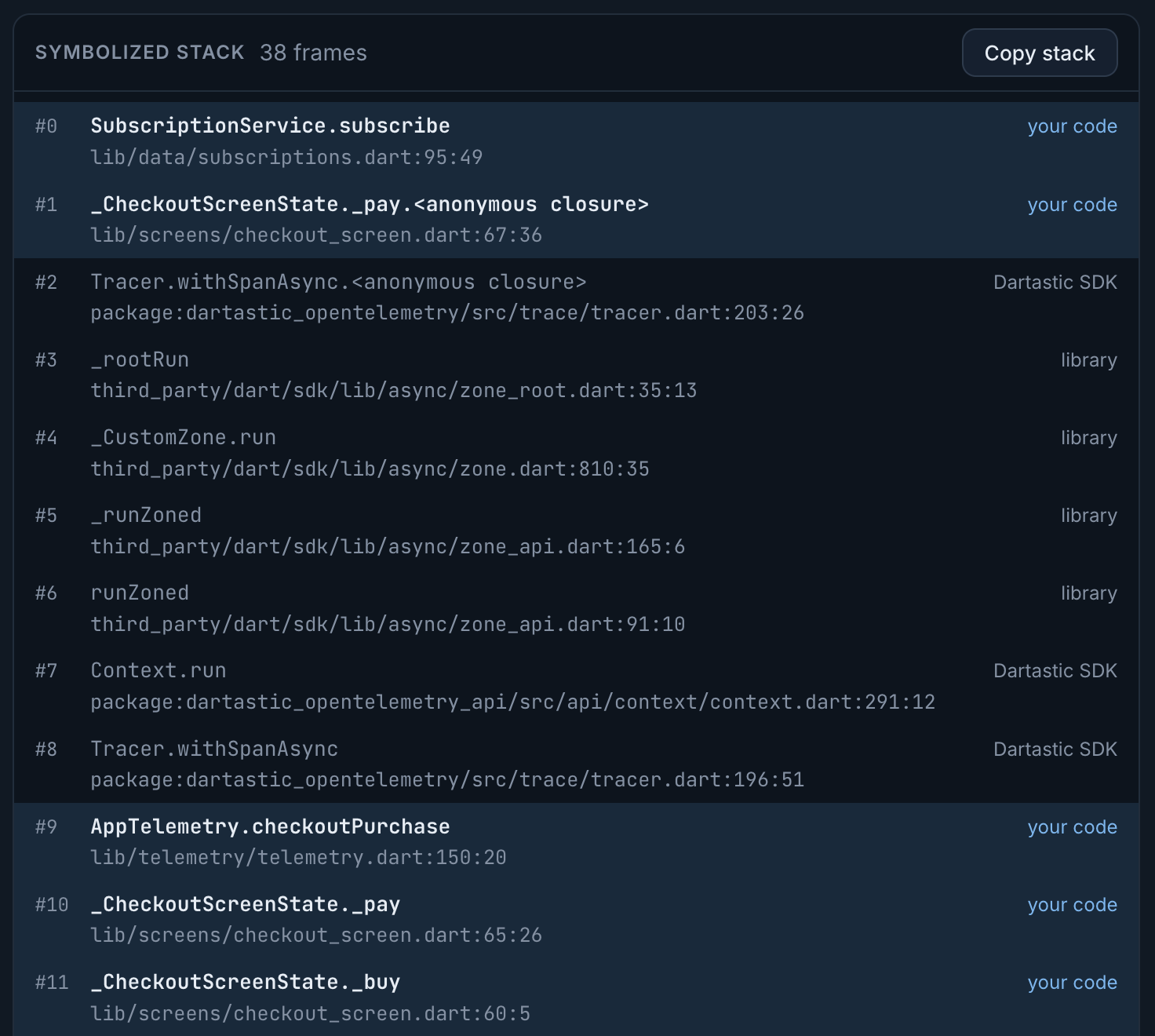
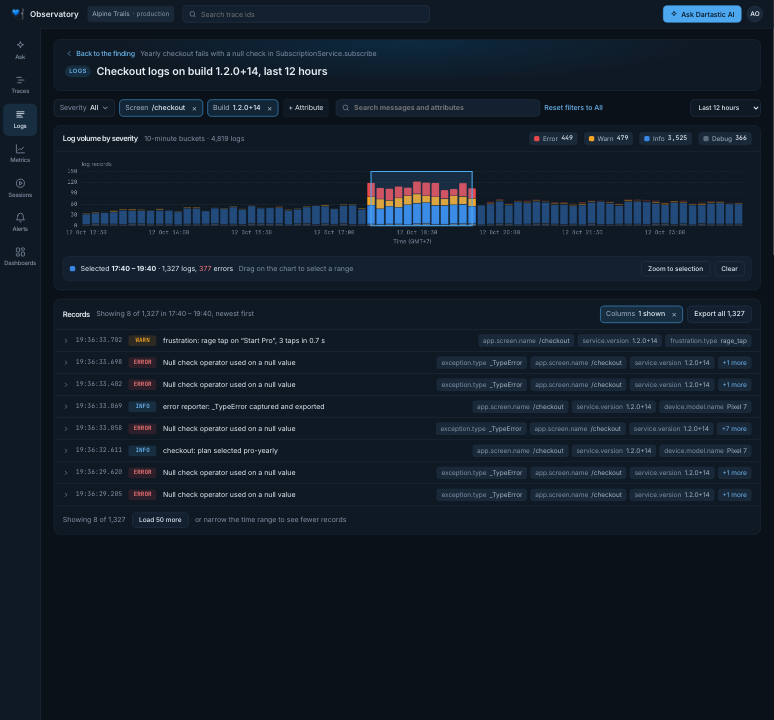
* RUM replays at four fidelity levels: Pixel (shown), Shadow, Wireframe and Outline. Events records the timeline without visuals.
Evidence, not guesses
Everything has a link to a citation
Each answer links to the exact session replays, traces, logs and metrics it used.
It flags what's missing
When the data can't settle a question, it says so and names what would.
Your model, your key, your data
No training on your data
Dartastic never trains models on your data.
BYOK
Your organization uses its own Anthropic or OpenAI model key. Dartastic does not have an additional charge for AI.
The cost of every answer
Each answer shows the model, the tokens and what it cost.
Role-based access
AI can only be used by users granted the AI right.
Where it runs
Dartastic Cloud Observatory
Included on every Cloud plan:
- Cloud Free, with limited use
- Cloud Pixel and Cloud Standard, with daily, weekly and monthly limits
- Cloud Pro, with 4x Cloud Standard's daily, weekly and monthly limits
To maximize safety on shared infrastructure, we currently only offer Anthropic models on Cloud Observatory. OpenAI models are available in Dedicated and Self-Hosted.
Dartastic Self-Hosted
Unlimited, inside your network. Use your model key, your cloud provider's AI, or a local model inside your network.
Query production telemetry with your own agents
Ask Claude Code, claude.ai or any assistant that speaks MCP about your own telemetry. It signs in as you, reads only the organization you choose, and can't change anything.
claude mcp add --scope user --transport http dartastic https://cloud.dartastic.io/mcpAI assistants are off until an Owner or Admin turns them on. Connect your AI assistant
Ask your first question
Dartastic AI comes with every Dartastic Observatory plan: Cloud, Dedicated and Self-Hosted.