Dartastic RUM
See exactly what your users see.
Real user monitoring with session replay for Dart and Flutter apps. Watch any session back: every screen, every tap, every error, in the order it happened.
You choose how much of the screen each device records, from an event timeline to full pixels, and every replay opens its traces and logs.
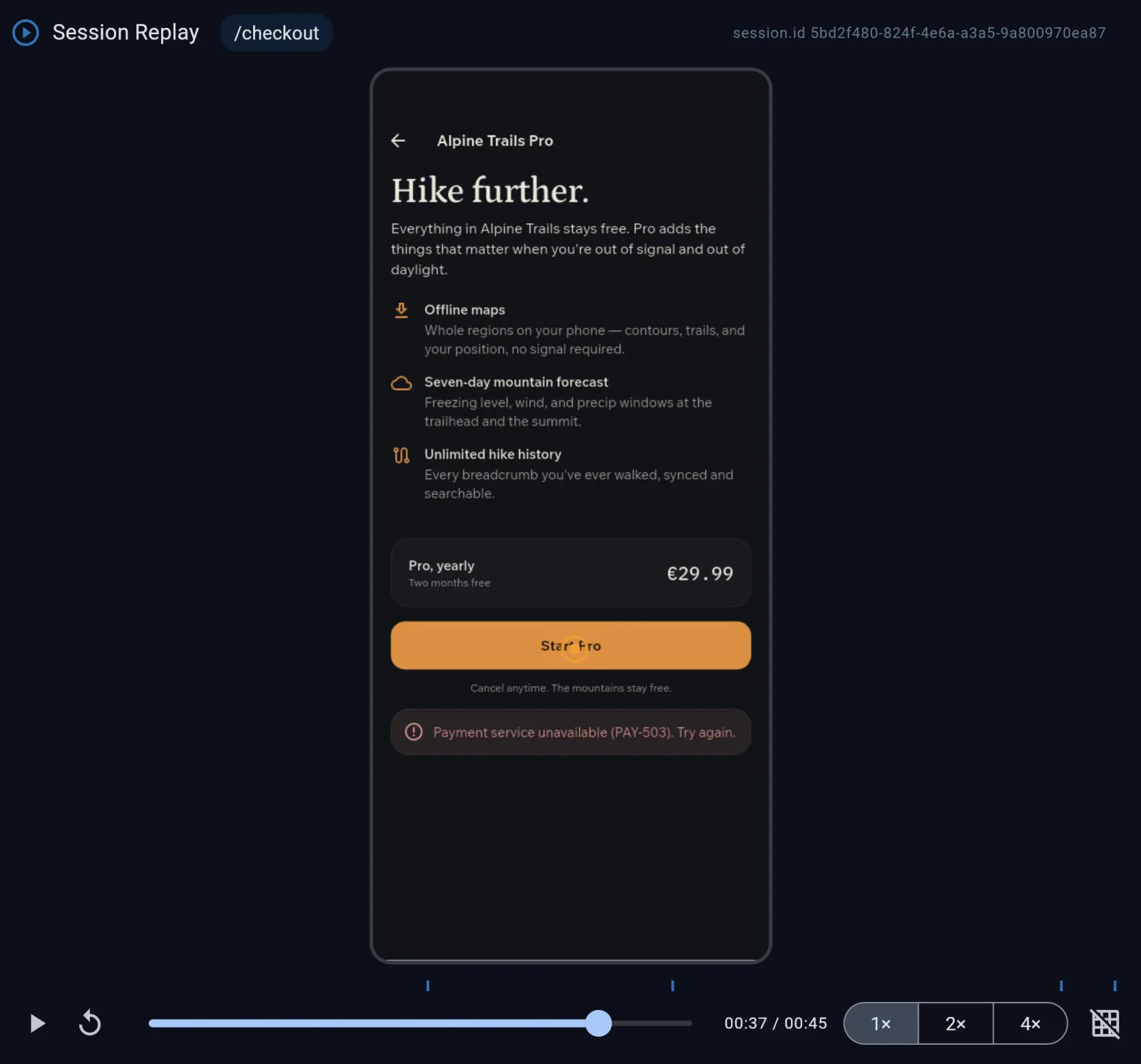
Four ways to replay a session
Every session starts with Events. Add a replay at the level of detail your team needs and your privacy rules allow.
Events
The session as a timeline: screens, network calls, spans, errors and crashes, in order. Nothing visual leaves the device: no frames and no tap positions.
Outline
App bars, buttons, fields, pictures and the main containers. No text leaves the device.
Wireframe
Every element on the screen, with text drawn as line counts, never characters. No text or pixels leave the device.
Shadow
A screenshot reduced, region by region, until no character can be read. Colors stay, so you see which banner was red and whether an image loaded.
Pixel
The screen as the user saw it, with text fields or all text masked as your app chooses.
Each level replays everything in Events, plus the screen at that level of detail.
Every session connects
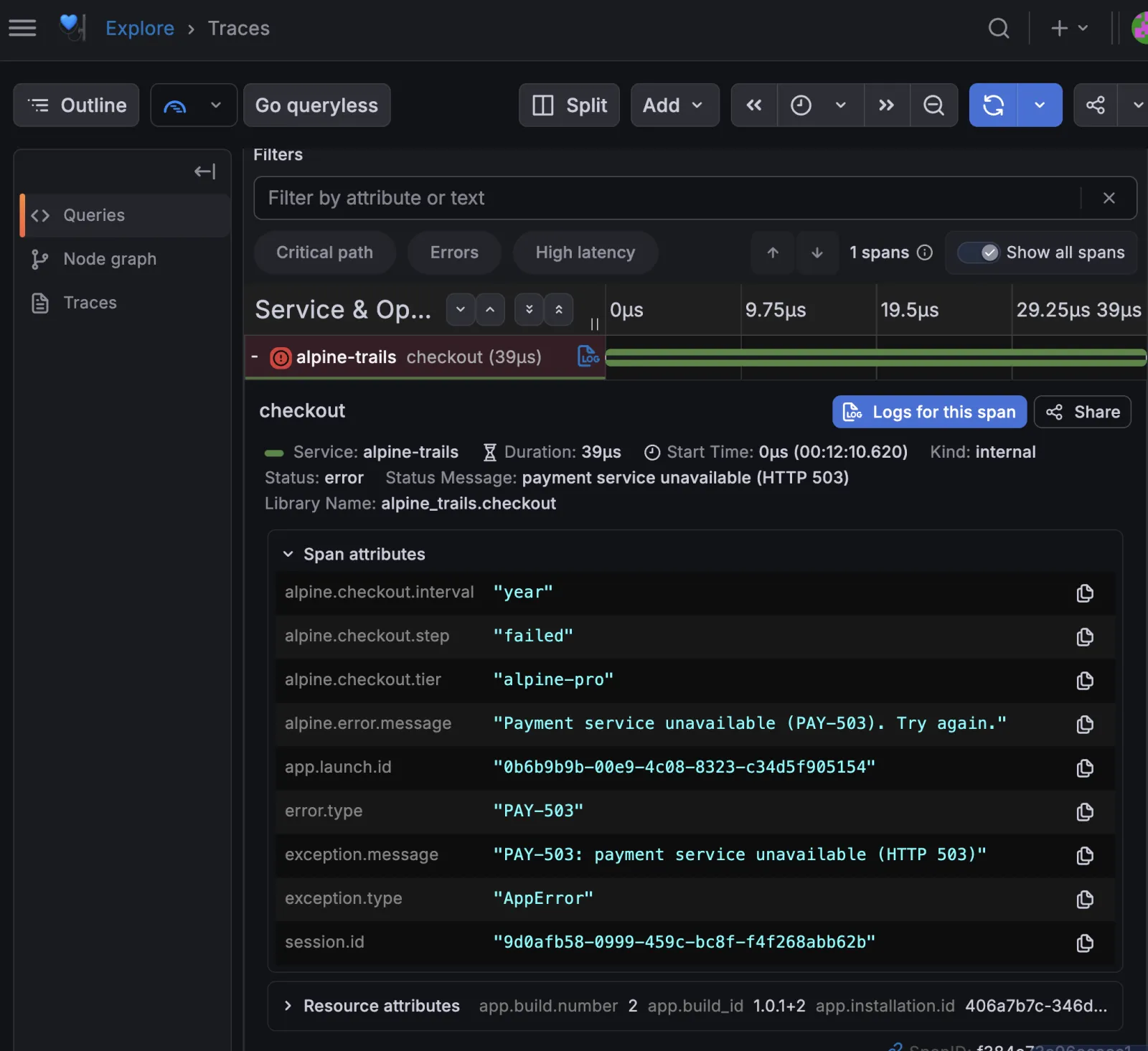
One session id, everywhere
Spans and logs carry the same session.id as the replay. From a failed checkout span, open its logs, and open the session to watch what the user did before it failed.
The whole session in order
The Session Timeline lays out one session from start to finish: every screen, network call, jank spike and error.
Dartastic AI watches too
Dartastic AI reads RUM sessions alongside traces, metrics and logs, and its answers link to the replay so you can see the moment for yourself. Meet Dartastic AI.
Private by design
Decided on the device
Fidelity is a switch on the device. Nothing above it is captured, so nothing above it ever leaves the phone.
No text at the lower levels
Events, Outline and Wireframe send no text and no pixels. Shadow sends a screenshot reduced until no character can be read.
Per app and per screen
Set a level for the whole build with a --dart-define, or change it in code for one screen, like Events on a card-entry screen.
Record when it matters
Keep a short buffer on the device and upload it only when something goes wrong, or stream every frame. Replay is off until you turn it on.
Pricing that follows fidelity
A session bills at the highest fidelity that actually uploaded. You pay for what leaves the device, so a buffered session with nothing wrong uploads no replay at all.
Dartastic Cloud Observatory
RUM credits, spent per 1,000 sessions at the fidelity you capture:
| Fidelity | per 1,000 sessions |
|---|---|
| Events | $0.50 |
| Outline | $1.00 |
| Wireframe | $2.00 |
| Shadow | $3.00 |
| Pixel | $5.00 |
- Cloud Dev includes $5 of RUM credits a month: 10,000 Events sessions or 1,000 Pixel sessions.
- Cloud Pro includes $50 of RUM credits a month: 100,000 Events sessions or 10,000 Pixel sessions.
- More RUM credits are $10 a month each.
Dartastic Hosted Observatory
Unlimited RUM on your own dedicated observability platform, fully managed. Record every session at the fidelity you choose.
See Hosted plansDartastic Self-Hosted
Unlimited sessions at every fidelity, inside your own network. Nothing leaves your perimeter.
See Self-HostedWatch your first session
Dartastic RUM comes with every Dartastic Observatory plan: Cloud, Hosted and Self-Hosted.